The real app, for your trade
Screens from the iPhone app, now on the App Store. Tap one to see how it works for your kind of work.
Route software for people who service homes
Paste or photograph your client list. We plan your days by area and show the miles and dollars you'd get back. Then every finished visit sends your customer a report with your name on it and a Google review button.
Pick your trade
Worked example: the demo pool route below — 14 pools, 38 miles cut to 28 — is about $236 a month in fuel and hours. See the arithmetic. Yours comes from your own list.
$59 a month flat, 30 days free, no card. Paste or photograph any list. Importing it doesn't email anyone: customers hear from you only when you finish a visit.
A 90-second demo · plays by itself
Screens from the iPhone app, now on the App Store. Tap one to see how it works for your kind of work.
Paste or photograph your client list. We measure real driving times between your stops and show the miles and dollars a tighter week gives back. If your route is already tight, we say so.
The made-up pool route in the walkthrough, worked through in full. Nothing here is rounded up, and every line comes from the line above it, so you can check the whole thing against your own week. We kept the demo deliberately modest — about a quarter off the driving. A route that grew with no plan at all has more to give.
This is a made-up pool route — an illustration, not a real customer and not your route. Your own number comes from the list you paste: we measure real driving times between your stops, and the hourly rate and truck cost sit on screen so you can change them. If your route is already tight, we say so.
Fewer Miles is built around them: fewer miles driven, customers who can see the work, and Google reviews that come from it.
Routes
Each technician gets their own stops for each day, on a map, with one-tap navigation. Paste your list first and see the miles and dollars back from your own stops.
Reports
Tick a visit done and a report is live at the customer's private link: what you did, what you noticed, your photos. Emailed automatically, one tap to text.
Reviews
Customers open the page right after the work. Everyone gets the same invitation, and the email asks at most once every 60 days.
No setup call, no data-entry week. Most of it happens before you've made an account.
We read spreadsheets, phone contacts, PDFs and handwriting — names, addresses, which day, gate codes, "no Sundays".
Every stop on a map, grouped into days so you're not criss-crossing town, in the fastest order — with the time and fuel it saves you.
Your trade's checklist, readings that flag themselves when they're out of range, and photos if you want to take them. One tap to navigate to the next one.
A private page with your name and logo: what you did, what you noticed, the your photos, when you're back, and a Google review button.
The checklists, words and statuses match your trade from day one.
Photos are optional. Either way, the moment you tick a visit done there is a report at a private link for that customer, and nothing for them to install.
A mock-up, not a real customer's report.
Your logo, phone and email buttons on the page. The email comes from your company's name, signs off with your phone number, and replies come to you.
The checklist, the readings, the time you finished, your photos, and anything you noticed that they should know about.
Every feature, one price. 30 days free, no card to start, cancel any time.
First, what the driving costs. On the demo route above (an example, not a customer), the 50 extra miles a week come to $59.17 in fuel and hours, every week. Then the price: $59 a month, which is under $2 a day.
One price
$59 / month
Under $2 a day. 30 days free, no card.
What it doesn't do
Keeps your other tools
No. Fewer Miles works in the browser on any phone, tablet or computer. Sign in with a code we email you — no password to remember.
No. The report is a private web link that opens in their phone's browser.
No. A report with no photos still goes out with what you checked off, any readings and your notes. Photos you take appear on the report page, and the PDF of each visit captions every photo with when it was received. If you want your team to always take them, you can require photos in Settings.
Everyone gets the same invitation — Google doesn't allow asking only the happy ones. Paste your Google review link once under Settings and it appears as a button on every report page. In the visit email it appears at most once every 60 days per customer.
We measure real driving times between your stops, the way you drive them now and the way we'd plan them, and price the difference with your truck's mileage, fuel price and what your hour is worth — you can change all three. If your list doesn't say which day each stop is on, we don't invent a comparison.
Tell us ("no Sundays", "Tuesdays only") — in your list or later — and the plan keeps to it.
You do. We use it only to run your account and never share it. You can download it as a spreadsheet any time from Settings. Lists you upload without making an account are deleted within 24 hours.
Yes, at no extra cost. Each technician sees their own route; you see everything.
Add a card on the Billing page any time. If you don't, your account goes read-only a week after the trial ends — your team can still finish visits and your customers still get their reports.
Upload your list and see your week, planned by area, in a few minutes.
Free for 30 days · no card needed · cancel any time
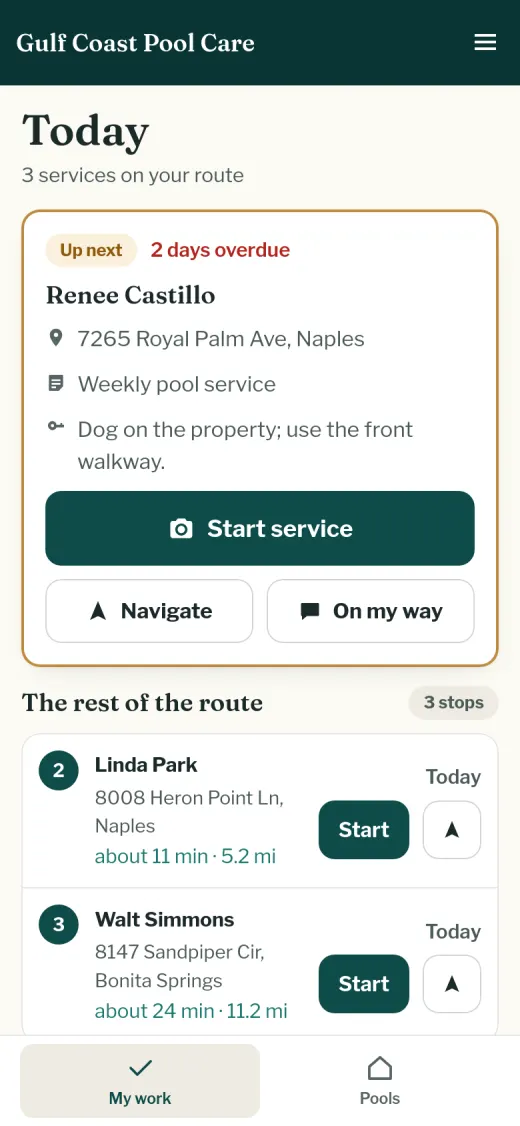 Pool service
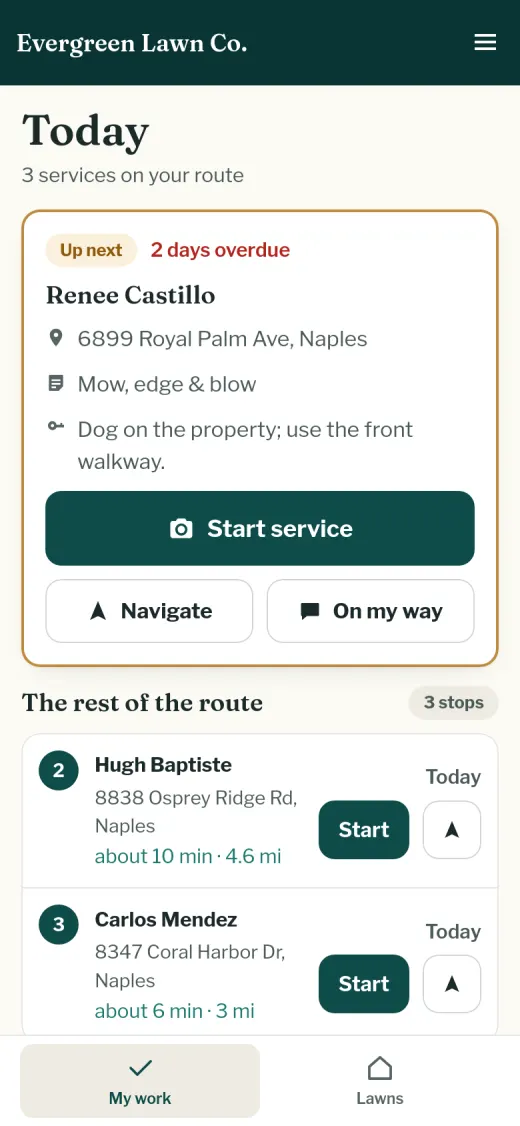 Lawn care
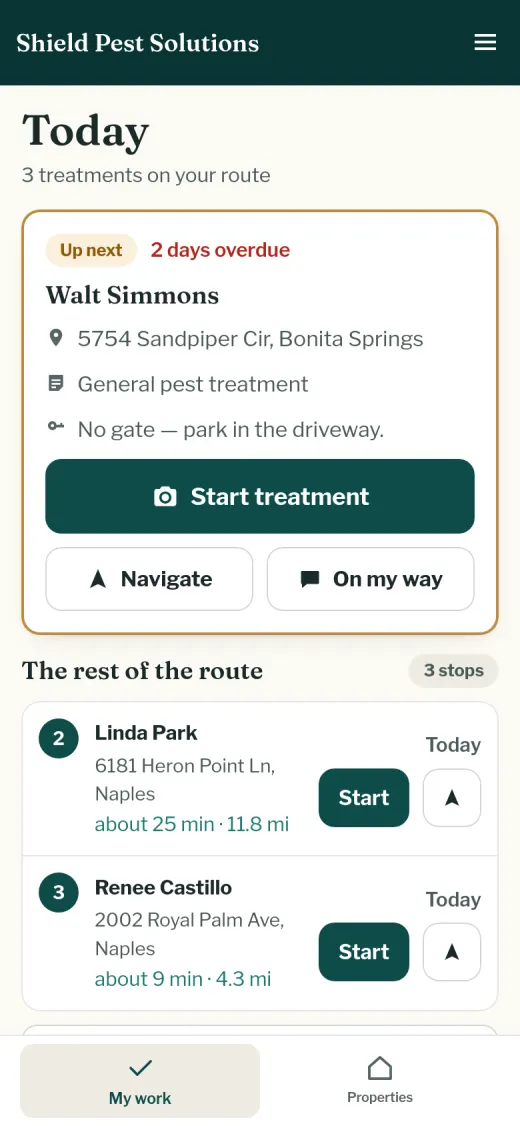 Pest control
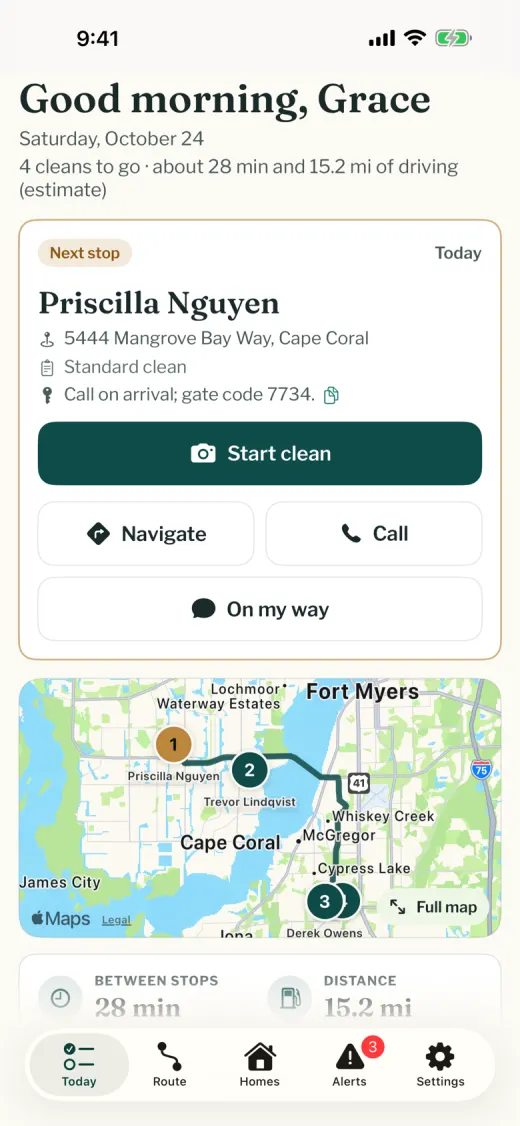 House cleaning